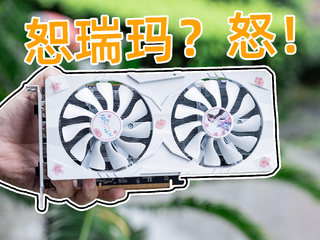
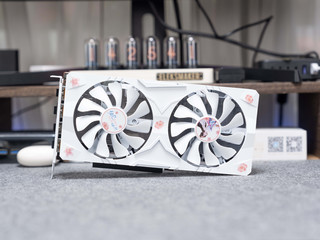
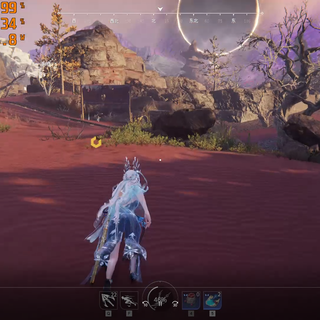
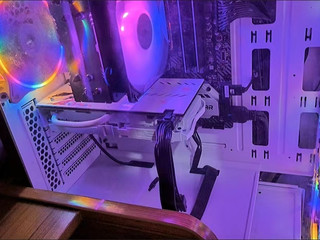
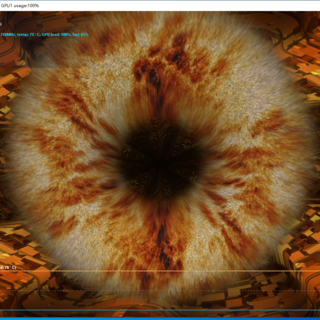
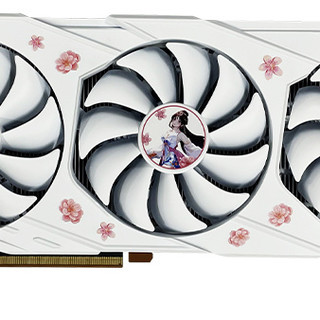
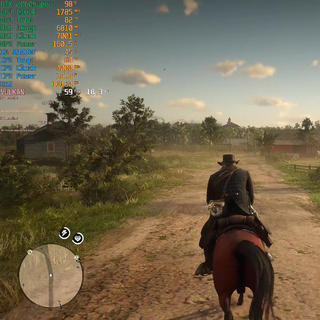
…阅读全文580显卡是一张神卡(580被广大网友称为三战元老),平多多200-300元一张的价格,而且多多还提供一年保修,200块钱还要什么自行车。冲就完了。没有windows系统的朋友,如果你只有linux系统,照样可以烤机测试,linux系统下的显卡烤机教程来了。这么猛男粉的颜色,我也忍不住买了一张580显卡:这个包装真好:全新的外壳,虽然GPU核心是三战元老,但是外壳全新的,连金手指都用塑料胶条包裹:两个hdmi,两个dp接口:和我自己的1060-3g显卡比一比,我的1060-3g就像小朋友一样小巧,看看人家580多大气:1、甜甜圈直接支持linux系统:去FurMark官网下载FurMark_2.1.0.2_linux64.zip文件,解压缩后,双击FurMark_GUI文件,即可打开下图的界面:点击run按钮即可开始甜甜圈烤机了:2、cpu-X查看显卡温度用下面的命令安装cpu-x:sudo apt install cpu-x安装完成后,在“应用程序栏”就能找到并打开cpu-x软件了。下面是甜甜圈烤机之前的显卡温度,只有30度,显卡待机功耗11瓦:下面是烤机1分钟之后,温度上升到64度:烤机5分钟后,显卡上升到72度:烤机10分钟,显卡温度74度:烤机15分钟后,温度稳定在74度:烤机近半小时了,稳定在74度(此时我家里的室温大概是15度):注意:换一个测试方法,GPU频率变成1244 MHZ了,上面甜甜圈测试的GPU频率都是1120 MHZ左右,见下图:3、安兔兔linux版直接下载支持linux的版本即可。可以测试GPU性能:cpu测试的时候,28个核心全部100%:看看我的580显卡跑分27万:4、用glxgears命令测试首先要安装mesa-utils,用下面的命令安装mesa-utils:sudo apt install mesa-utilsglxgears执行glxgears命令后,会出现下面的界面:5、用Geekbench测试cpu和GPU跑分(GPU跑分要付费版才哟)去Geekbench官网下载Geekbench-6.2.2-Linux.tar.gz文件,解压缩后,用下面的命令进行测试:./geekbench6测试过程中是这样的:跑完之后,发现这个是cpu的跑分,单核985,多核4686分:用下面的命令来对GPU跑分(付费版才有这个gpu跑分的功能): ./geekbench6 --gpu6、glxinfo命令回车,即可查看显卡信息要使用glxinfo命令,先要安装mesa-utils,用下面的命令安装mesa-utils:sudo apt install mesa-utils这时候,输入glxinfo回车,就可以看见下面的显卡信息了:Vendor: AMD (0x1002) Device: POLARIS10 (polaris10, LLVM 15.0.7, DRM 3.54, 6.5.0-26-generic) (0x67df) Version: 23.2.1 Accelerated: yes Video memory: 8192MB Unified memory: no Preferred profile: core (0x1) Max core profile version: 4.6 Max compat profile version: 4.6 Max GLES1 profile version: 1.1 Max GLES[23] profile version: 3.2Memory info (GL_ATI_meminfo): VBO free memory - total: 7428 MB, largest block: 7428 MB VBO free aux. memory - total: 15892 MB, largest block: 15892 MB Texture free memory - total: 7428 MB, largest block: 7428 MB Texture free aux. memory - total: 15892 MB, largest block: 15892 MB Renderbuffer free memory - total: 7428 MB, largest block: 7428 MB Renderbuffer free aux. memory - total: 15892 MB, largest block: 15892 MBMemory info (GL_NVX_gpu_memory_info): Dedicated video memory: 8192 MB Total available memory: 24151 MB Currently available dedicated video memory: 7428 MBOpenGL vendor string: AMDOpenGL renderer string: POLARIS10 (polaris10, LLVM 15.0.7, DRM 3.54, 6.5.0-26-generic)OpenGL core profile version string: 4.6 (Core Profile) Mesa 23.2.1-1ubuntu3.1~22.04.2OpenGL core profile shading language version string: 4.60OpenGL core profile context flags: (none)OpenGL core profile profile mask: core profile具体情况见下图:全文完,谢谢观看。